What Is Sikocam?
Sikocam is a virtual camera app for Android: it lets you show any video or image from your phone as your live camera feed inside other apps. Open the sikocam App, choose the media you want to present, and when WhatsApp, Zoom, TikTok or any other camera app asks for your camera, it receives your chosen feed instead of the view from your real lens.
The siko cam idea is simple and it solves real problems. Your room is messy, the light is bad, you present the same demo ten times a week, or you simply want your surroundings to stay private. A prepared feed handles all of that: it looks the same every time, it starts the moment the call starts, and it shows only what you picked. Creators use it for intros, product shots and branded scenes; everyone else uses it to look ready without rebuilding the room behind them.
This page is the home of the Sikocam download for Android: what the app does, how activation and setup work, the settings that matter, and honest notes from running its feeds through real calls and streams on real phones.
Sikocam Features
Six tools carry almost every session in the app. Each one below is written the way it behaves in daily use, not the way a box label would put it.
Custom video sources
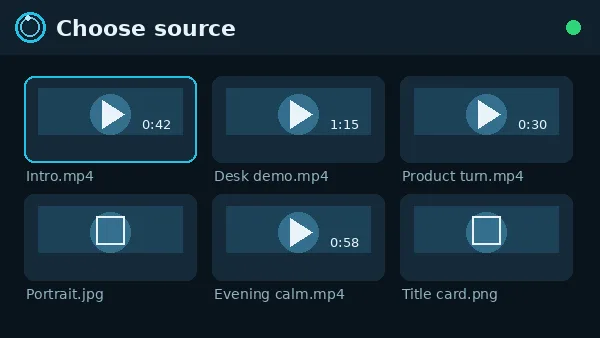
Choose any image or video from your gallery and use it as your live camera feed in any app. A product clip, a clean intro, a still portrait: if it is on your phone, it can be your camera.
Real time performance
The feed is built for smooth output, up to 60fps on the Pro edition, and it is tuned to run on mid range phones with minimal battery drain, so long calls do not punish your phone.
Privacy by design
Your real surroundings stay private. The app never has to show your room, your street or whoever just walked behind you; full control over what appears on camera stays with you.
Works with all apps
WhatsApp, Zoom, TikTok, Instagram, Telegram and every other app that uses your camera can receive the feed. Set it once and the routing is handled for you.
Scheduled activation
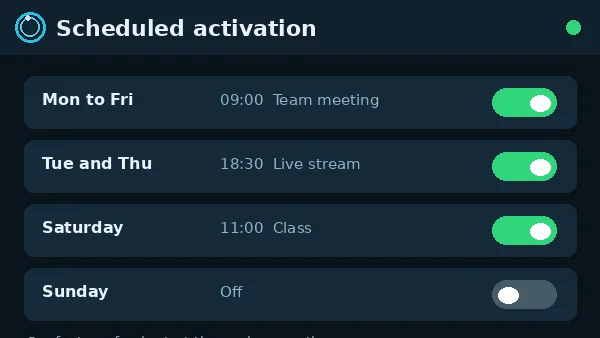
On Pro, set custom times for automatic activation. Planned classes, daily streams and regular presentations start with your feed already in place.
Full customisation
Adjust backgrounds, overlays, watermarks and visual elements to match your brand, so the feed that represents you looks like it belongs to you.
Sikocam Screenshots
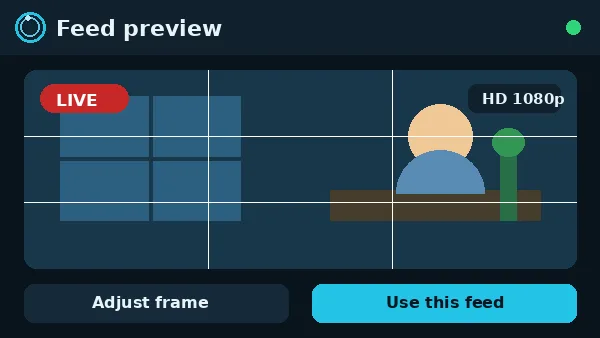
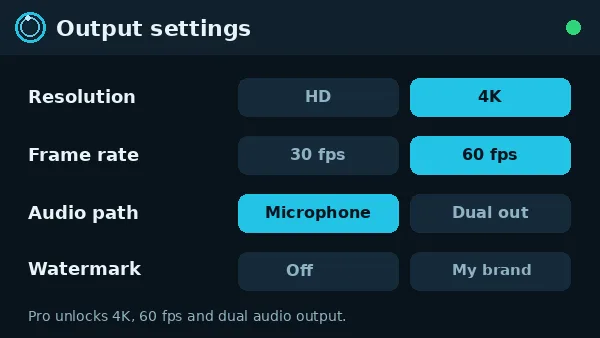
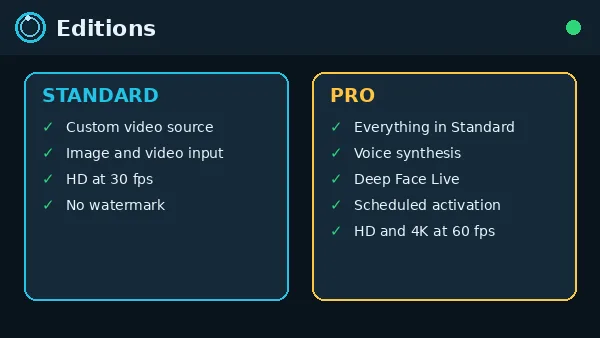
These views show the main screens of the app the way our test phones present them: the source picker, the feed preview, output settings, the two editions and scheduled activation.
How to Install Sikocam on Android
Our install routine, in the order we run it on every test phone:
- Open the download page from the button above and wait for the short countdown to finish.
- Tap the download button when it appears and let the file finish downloading completely.
- Open the finished file. If Android asks, allow installs from your browser for this one install, then confirm.
- Launch the app and enter your license key to activate it. Plans start from $4.50/week and the key is delivered instantly after purchase.
- Select your media source: an image, a video, or custom content you prepared.
- Open any app that uses your camera. The app handles the routing automatically and your feed is what the app sees.
A half finished download is the most common reason an install refuses to start. If anything interrupts the file, delete the partial copy and fetch it again rather than tapping a broken file twice.
Setting Up Your First Feed
Your first feed takes three decisions: which media, how it is framed, and which app you test it in. Pick a short, clean video or a sharp still image from your gallery, open the preview, and frame it so the subject sits where a camera subject would sit. Nothing in the preview is decorative; what you see there is what the other side of the call receives.
Then open one app you actually use, WhatsApp or Zoom for most people, and start a test call or a camera check. Confirm the feed appears, that it plays or holds the way you expected, and that your audio is the audio you want. Fix framing now, while the only audience is you, and every real call after this one starts ready.
Safety and Verification
Every build listed here passes the same checks: the file is scanned before publication, installed on our own Android test phones, and run through real test calls before the download button is enabled. We check the feed inside WhatsApp, Zoom and TikTok on the published build, not on a different copy.
For your own safety, keep your license key private the way you keep a password, and use media you own or have the right to show. Your feed represents you in every app it enters, so treat the source library like you treat your photo gallery: yours, and shared only when you choose.
Technical Details
The app sits between your gallery media and the apps that request a camera. When an app opens its camera, the Sikocam engine supplies your chosen image or video as the feed, routed automatically once the app is activated with your key. The app reports more than ten thousand active users, output up to 4K resolution, and round the clock support.
Output quality follows two things: the quality of your source file and your edition. Standard runs HD at 30fps, which suits everyday calls. Pro raises output to HD and 4K at up to 60fps and adds voice synthesis, Deep Face Live and dual audio output for creators who need their feed and sound fully produced before the call starts.
Pros and Cons
What works well: any image or video becomes your camera in the apps you already use; your real room stays private; no watermark on either edition; scheduled activation on Pro means recurring sessions start themselves; setup is four honest steps from download to live feed.
What to know: the download is free but the app runs on a paid license, from $4.50/week, so budget for the key rather than expecting a free app. The feed can only look as good as your source file, and the sharpest output, voice tools and scheduling sit in the Pro edition.
Troubleshooting
An app still shows your real camera: close the app fully and reopen it after Sikocam is activated. Apps that were already holding the camera keep the old source until they restart.
The feed is a black screen: the source file is usually the problem. Pick a different video or image from the gallery; a file that plays in your gallery app is a file Sikocam can route.
The feed freezes mid call: close heavy apps running behind the call and, on Pro, step the output down one level. A smooth 30fps feed beats a frozen sharp one.
Audio does not match the feed: check which audio path the call is using. Pro dual audio output lets you decide exactly what the other side hears; set it once and test before the real call.
How to Update
When a newer build is published here, install it over the existing app. Your license activation, your source library and your settings stay in place, because they live with your key and your media rather than with the app file. After an update, open one test call and confirm the feed and audio arrive the way they did before.